c(1, 2, 3)[1] 1 2 3Original Japanese version: Rでベクトルを作成する
This post summarizes several ways to create vectors in R. The functions introduced here are:
c() and :
The simplest ways to create vectors in R are c() and :.
If you list values separated by commas inside c(), the result is a vector. The name c comes from “combine.”
c(1, 2, 3)[1] 1 2 3You can also create a vector by specifying a start and end point in the form [start]:[end].
1:3[1] 1 2 3These are used very frequently, so they are worth remembering.
seq()The seq() function comes from “sequence.” As the name suggests, it arranges values according to the arguments supplied inside ().
The most basic use is to create a vector by specifying the first and last values.
seq(1, 3) # seq(start, end)[1] 1 2 3seq(from = 1, to = 3) # explicit form[1] 1 2 3If you specify only one value, seq() creates a vector that increases by 1 from 1 to that value.
seq(3)[1] 1 2 3When the sequence starts from 1, seq_len() is faster.
seq_len(5) # vector from 1 to 5[1] 1 2 3 4 5By default, the value increases by 1, but you can change the step size with the by argument.
seq(from = 1, to = 3, by = 0.5) # increase by 0.5[1] 1.0 1.5 2.0 2.5 3.0If you specify the length.out argument, you can create a vector with a specified length. R divides the range between the first and last values into equal intervals.
seq(from = 1, to = 3, length.out = 6) # vector of length 6[1] 1.0 1.4 1.8 2.2 2.6 3.0Use seq_along() to create a vector with the same length as another vector.
This is useful when writing for loops. It is common to write a for loop like this:
[1] "A"
[1] "B"
[1] "C"
[1] "D"
[1] "E"
Using seq_along(), it can be rewritten as follows.
[1] "A"
[1] "B"
[1] "C"
[1] "D"
[1] "E"
There is not much visible difference, but the behavior changes when the vector used in the loop has length 0, that is, when it is an empty vector.
rep()Use the rep() function to create a vector by repeating the same value. The name comes from “repeat.”
rep(3, 5) # repeat 3 five times[1] 3 3 3 3 3You can also repeat a vector.
rep(1:3, 3) # repeat 1 to 3 three times[1] 1 2 3 1 2 3 1 2 3rep(1:3, times = 3) # same as above[1] 1 2 3 1 2 3 1 2 3Each value can also be repeated as a block.
rep(1:3, each = 3) # repeat each value three times[1] 1 1 1 2 2 2 3 3 3You can specify the number of repeats for each value.
You can also specify the length. Because the length takes priority, the repetition is truncated if needed.
rep(1:3, length.out = 5) # repeat up to length 5[1] 1 2 3 1 2These vector creation methods are useful when creating IDs or groups in data frames, or when interpolating points for plots. For example, if you want to assign groups A to C to rows in a data sheet, rep(c("A", "B", "C"), each = 5) makes that easy.
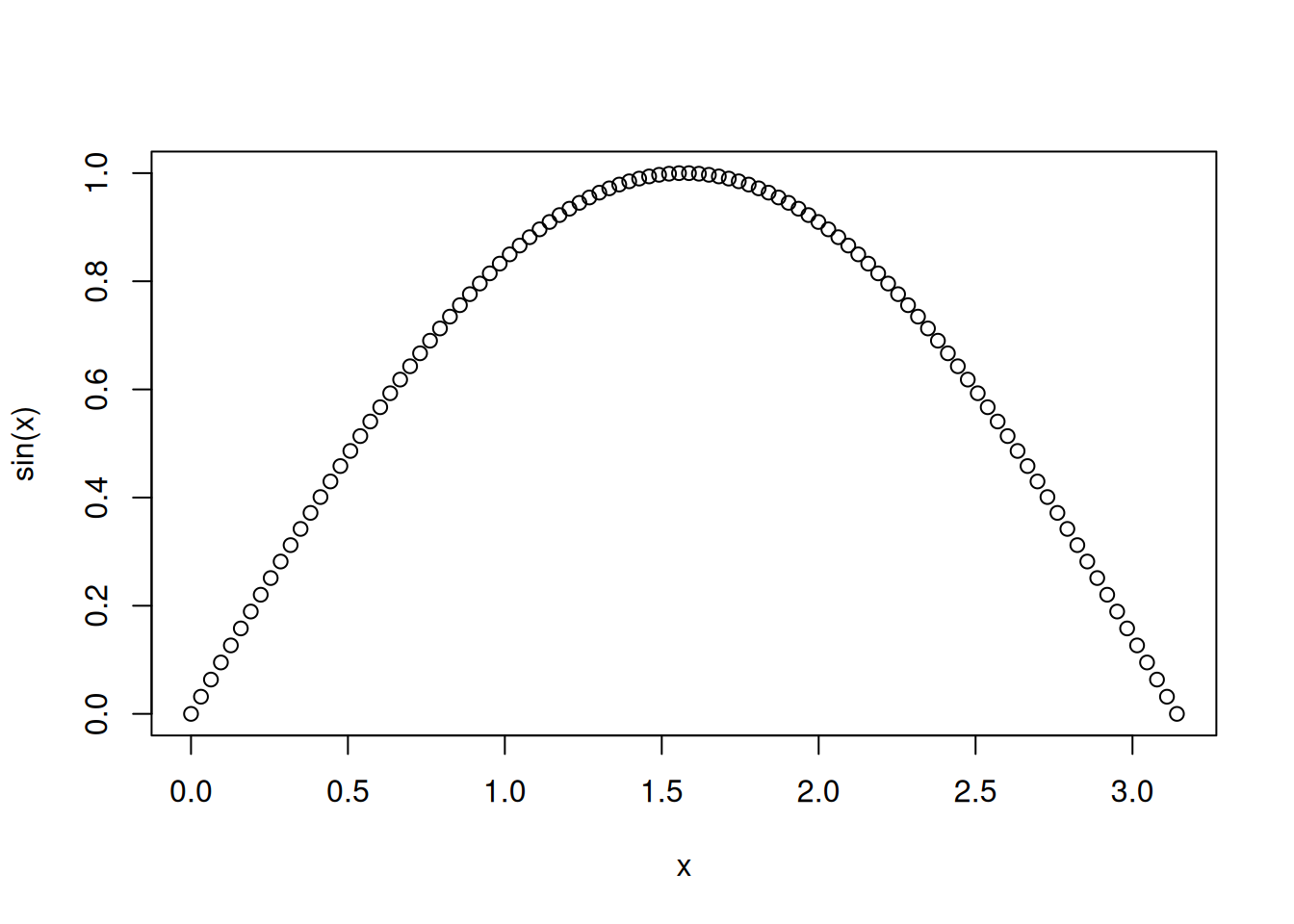
If you want to draw a function such as a sine curve, you can do it simply as follows.
Personally, I use c() and : almost every day, while I use the seq() family and rep() only occasionally. Because of that, when I suddenly need a long vector, I sometimes cannot produce it immediately. It is easy to look up, but it is useful to be able to create the needed vector quickly.