library(tmap)
packageVersion("tmap")
[1] '4.3'tmap 4.3, tm_text supports decorations such as text halos.
Original Japanese version: Rのtmapパッケージで地図の上に縁取り文字を表示する方法
This article introduces how to display haloed text on maps with the tmap package in R. According to the tmap package Changelog, decorations such as text halos seem to have been implemented in the tm_text function starting from version 4.3.
I tried it right away.
tmap
As of April 14, 2026, the CRAN version of tmap was not yet 4.3, so the development version needed to be installed. If you use renv, install it as follows.
renv::install("r-tmap/tmap")Then load it with library() and check the version.
library(tmap)
packageVersion("tmap")[1] '4.3'Display country names in Africa. First, here is the map without halos.
Africa <- World[World$continent == "Africa", ]
tm_shape(Africa) +
  tm_polygons() +
  tm_text("name")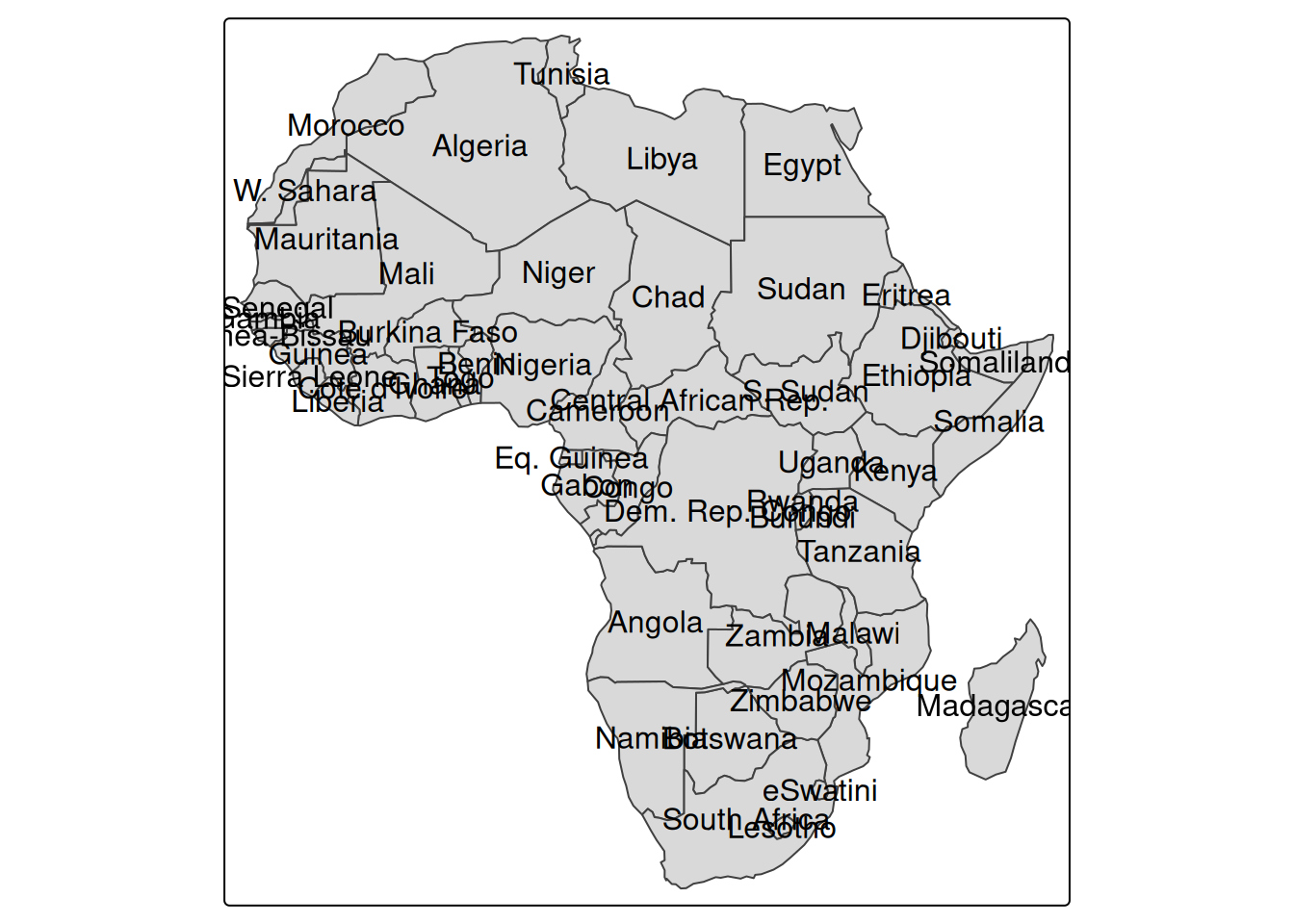
Because there is a lot of overlap, specify remove_overlap = TRUE to remove overlaps. I feel bad for the countries that disappear, but the map becomes easier to read.
tm_shape(Africa) +
  tm_polygons() +
  tm_text("name", options = opt_tm_text(remove_overlap = TRUE))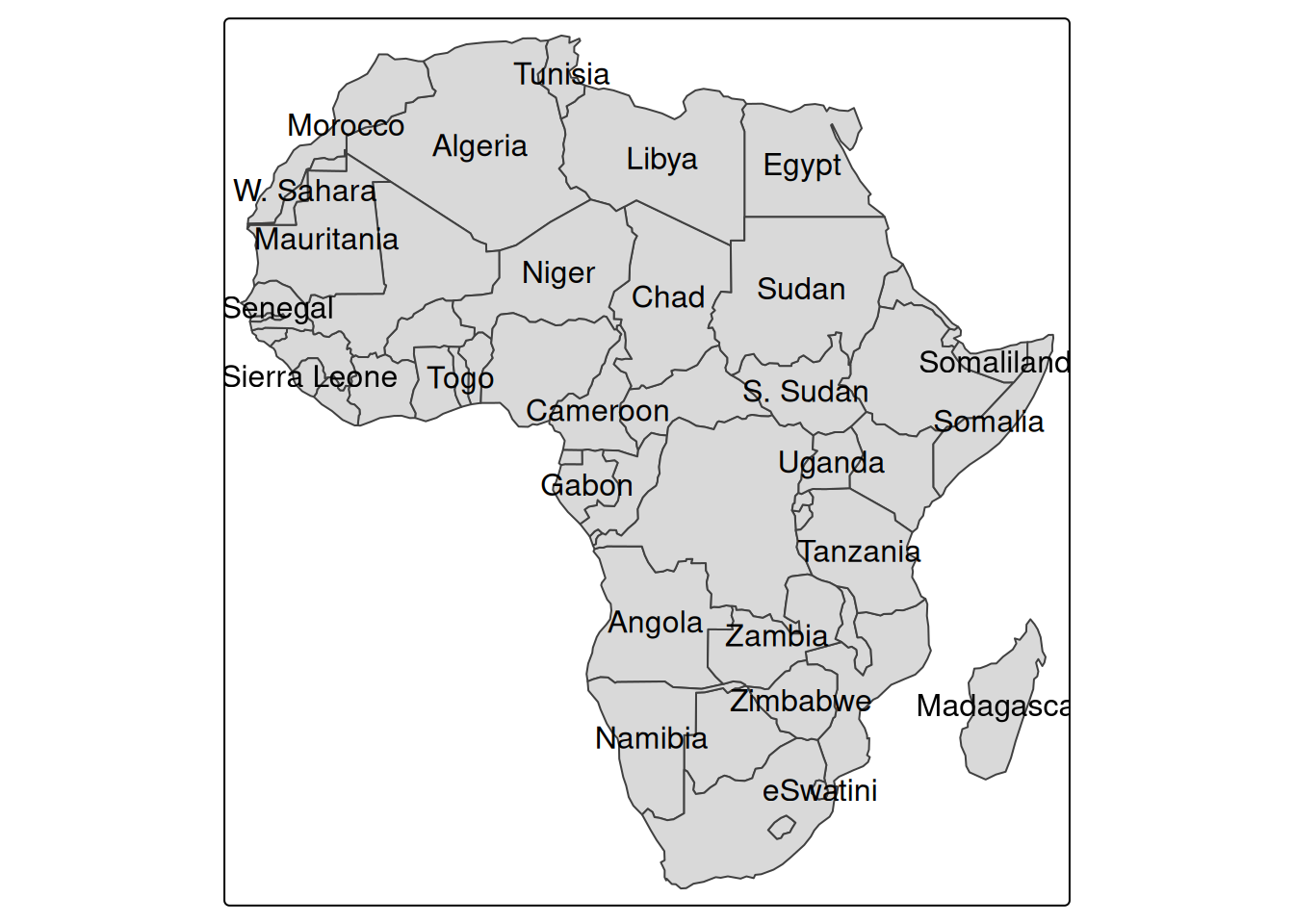
Now add halos to the text. Specify halo = TRUE in the arguments of opt_tm_text.
tm_shape(Africa) +
  tm_polygons() +
  tm_text("name", options = opt_tm_text(halo = TRUE, remove_overlap = TRUE))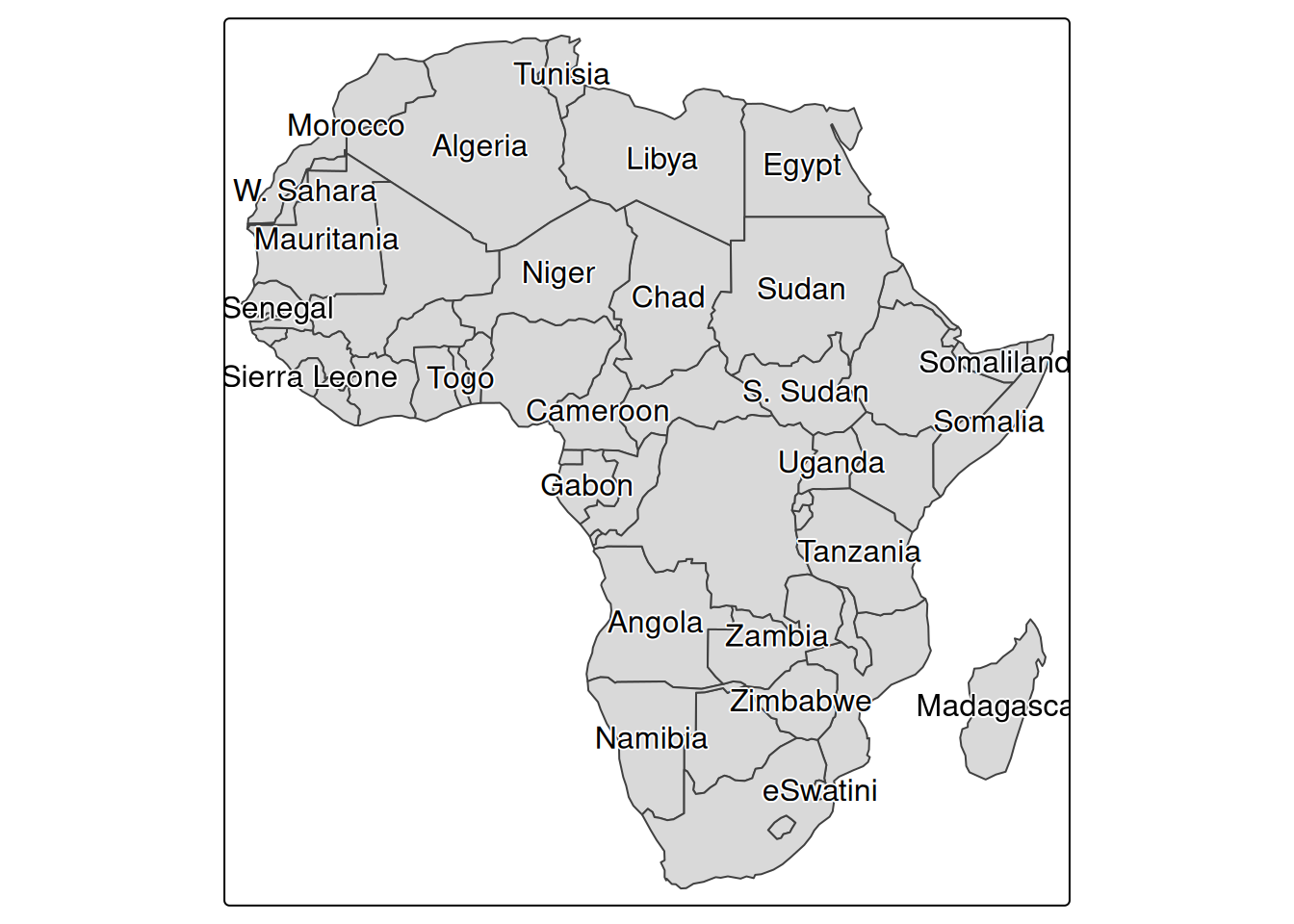
White halos are added, making the text easier to read even on a filled map. The options include the following.
halo: specifies whether to enable halos. The default is FALSE.halo.col: specifies the halo color. The default is NA.halo.width: specifies the halo width. The default is 0.05.halo.blur: specifies the amount of halo blur. The default is 0.halo.alpha: specifies the halo transparency. The default is 0.8.For example, add red halos.
tm_shape(Africa) +
  tm_polygons() +
  tm_text(
    "name",
    options = opt_tm_text(
      halo = TRUE,
      halo.col = "red",
      halo.width = 0.1,
      halo.blur = 0.05,
      halo.alpha = 0.9,
      remove_overlap = TRUE
    )
  )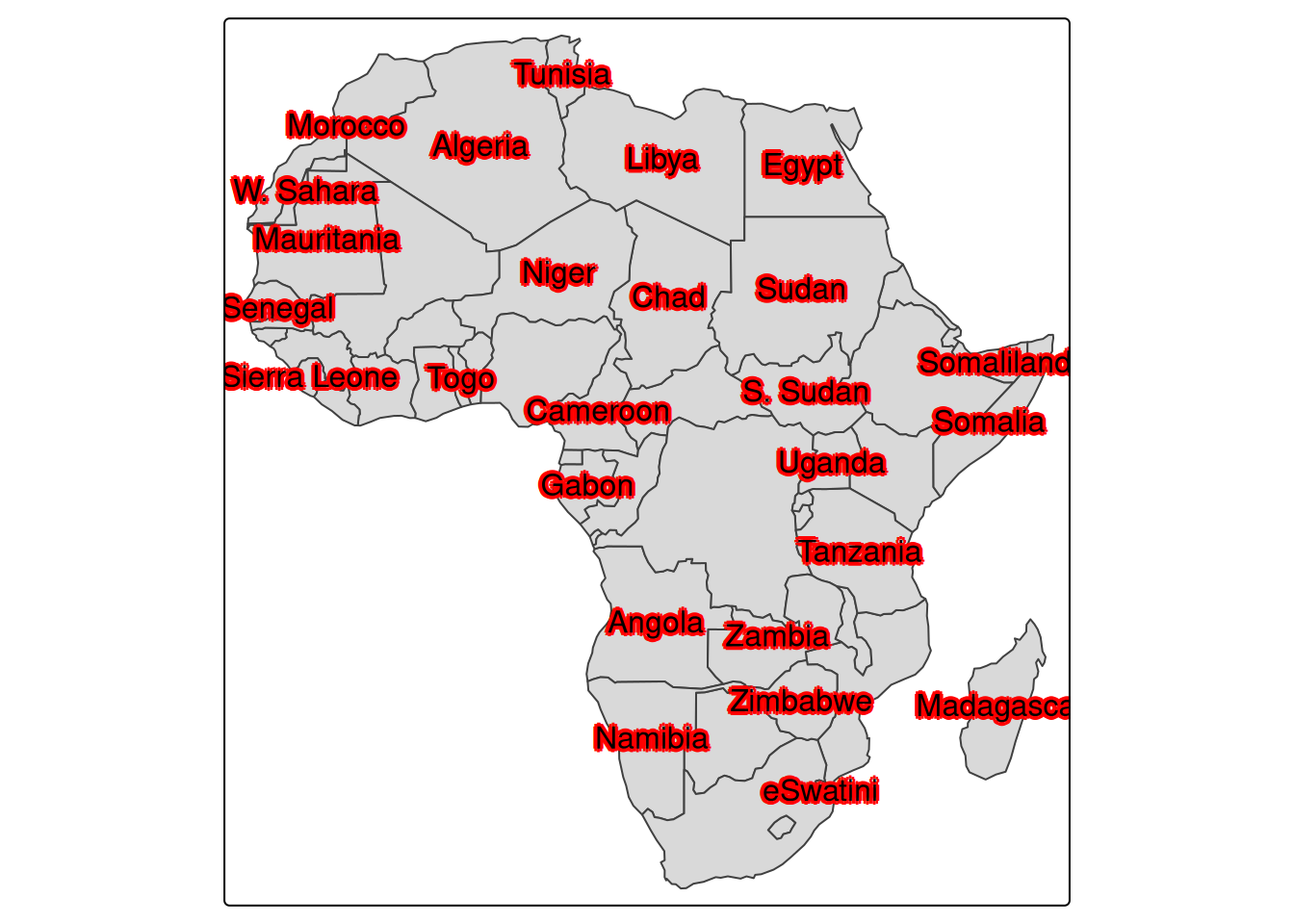
A halo is an option that makes text easier to read on a map by drawing a line around the text. In ArcGIS it is called a “halo” as-is (reference), while in QGIS it is called a “buffer” (reference).
The word may be unfamiliar in Japanese. Translated into Japanese, it means something like a glow or ring of light, and the corresponding kanji appears to be 暈 (reference). The image is that light is shining around the text.
The halo option adds outlines, while the shadow option adds shadows to text.
tm_shape(Africa) +
  tm_polygons() +
  tm_text("name", options = opt_tm_text(shadow = TRUE, remove_overlap = TRUE))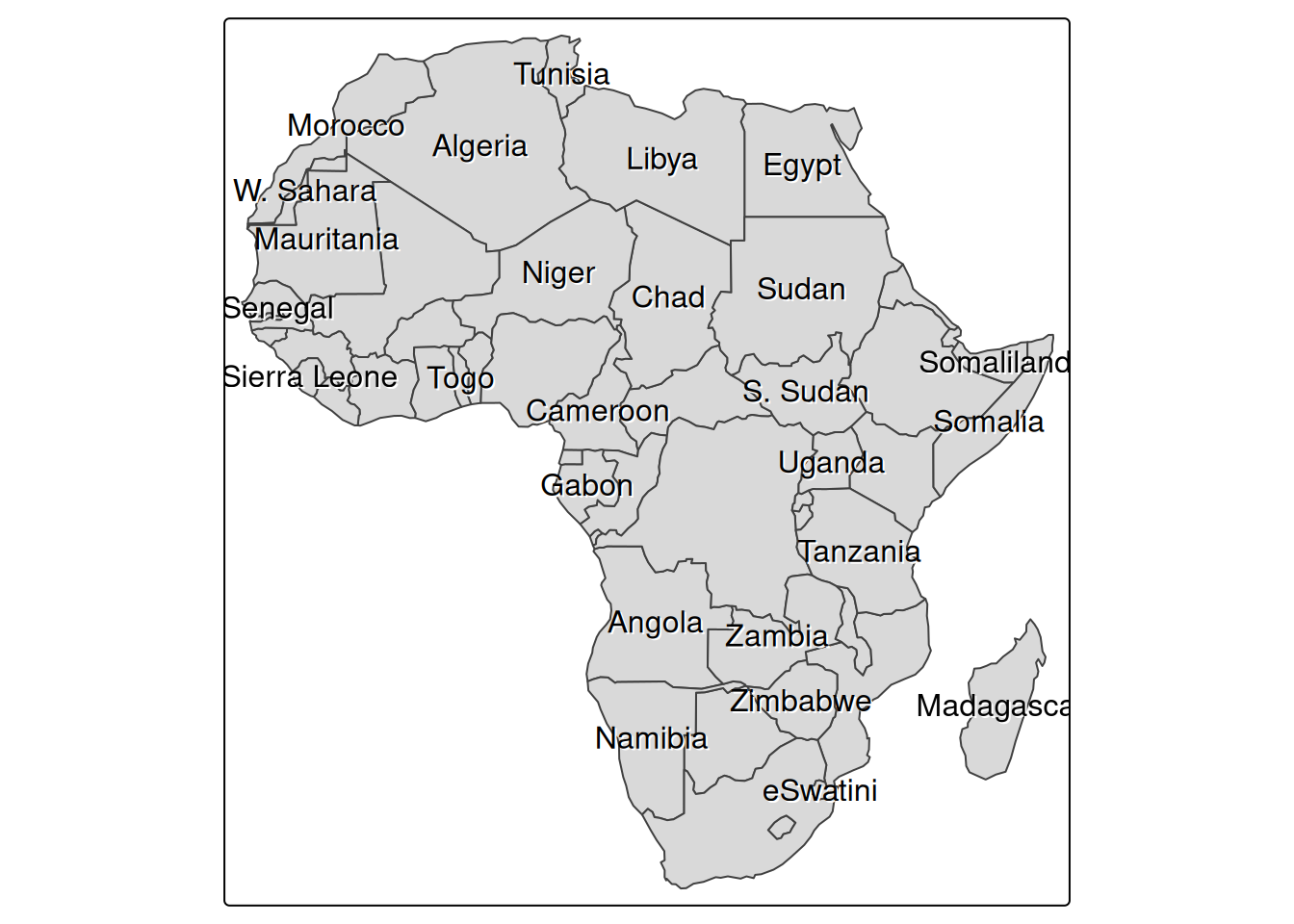
The difference is a little hard to see, but a shadow is added below the text, making it easier to read on the map. The arguments for the shadow option are as follows.
shadow: specifies whether to enable the shadow. The default is FALSE.shadow.col: specifies the shadow color. The default is NA.shadow.offset.x: specifies the horizontal offset of the shadow. The default is 0.05.shadow.offset.y: specifies the vertical offset of the shadow. The default is 0.05.To make the shadow effect easier to see, add a slightly exaggerated shadow.
tm_shape(Africa) +
  tm_polygons() +
  tm_text(
    "name",
    options = opt_tm_text(
      shadow = TRUE,
      shadow.col = "orange",
      shadow.offset.x = 0.1,
      shadow.offset.y = 0.1,
      remove_overlap = TRUE
    )
  )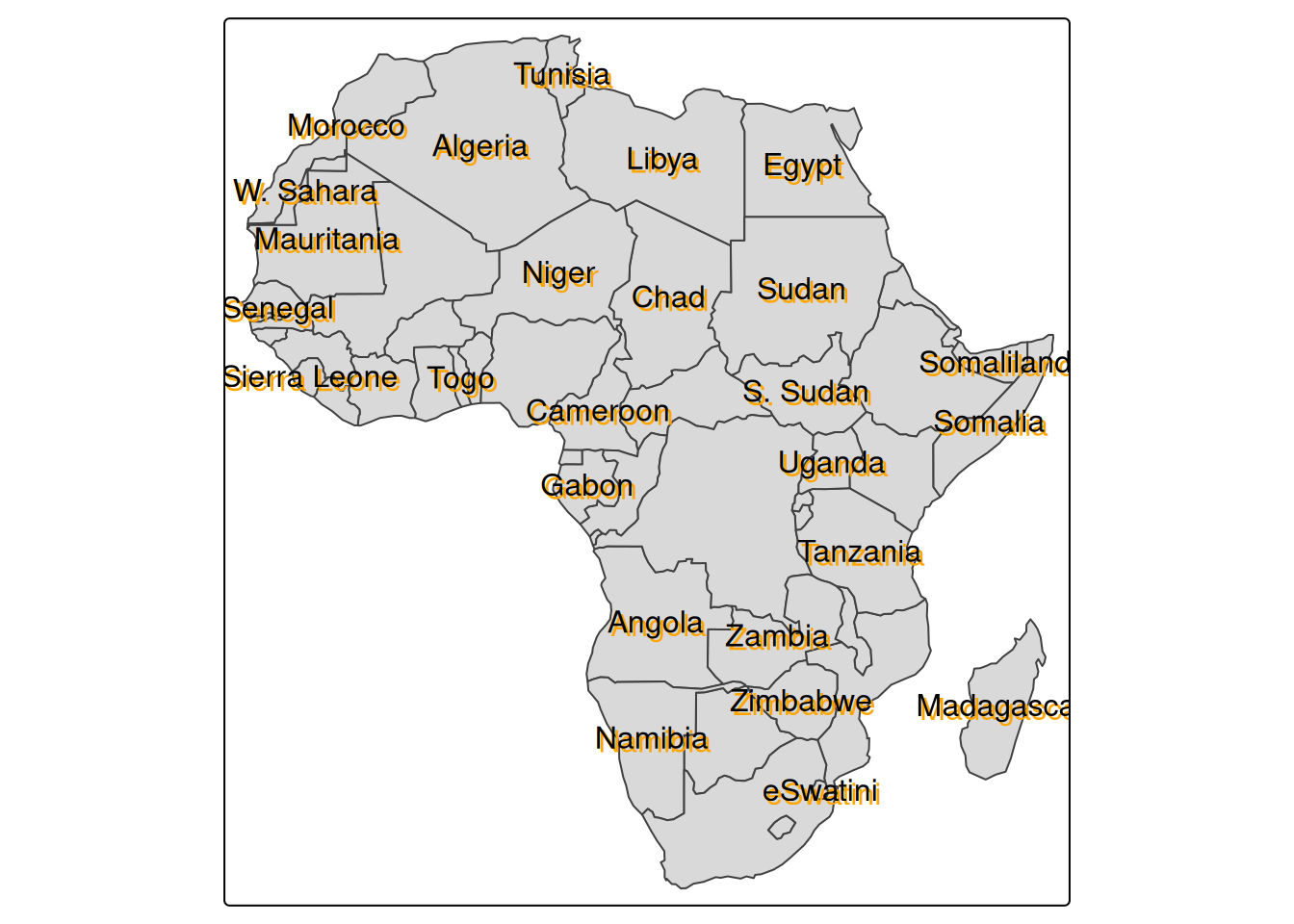
A halo draws a line around the text, whereas a shadow gives the impression of another copy of the text displayed underneath. Both options make text easier to read on a map, and it seems useful to choose between them depending on preference and map design.