Appendix A — Plot Japan Climate Map
This chapter draws Japan climate maps using tmap and rnaturalearth.
Load data
data_dir <- Sys.getenv("PROJECT_DATA_DIR")
sf_climate <- readRDS(file.path(
  data_dir,
  "climate_mesh_data_joined/climate_mesh_data_with_aridity_index.rds"
))
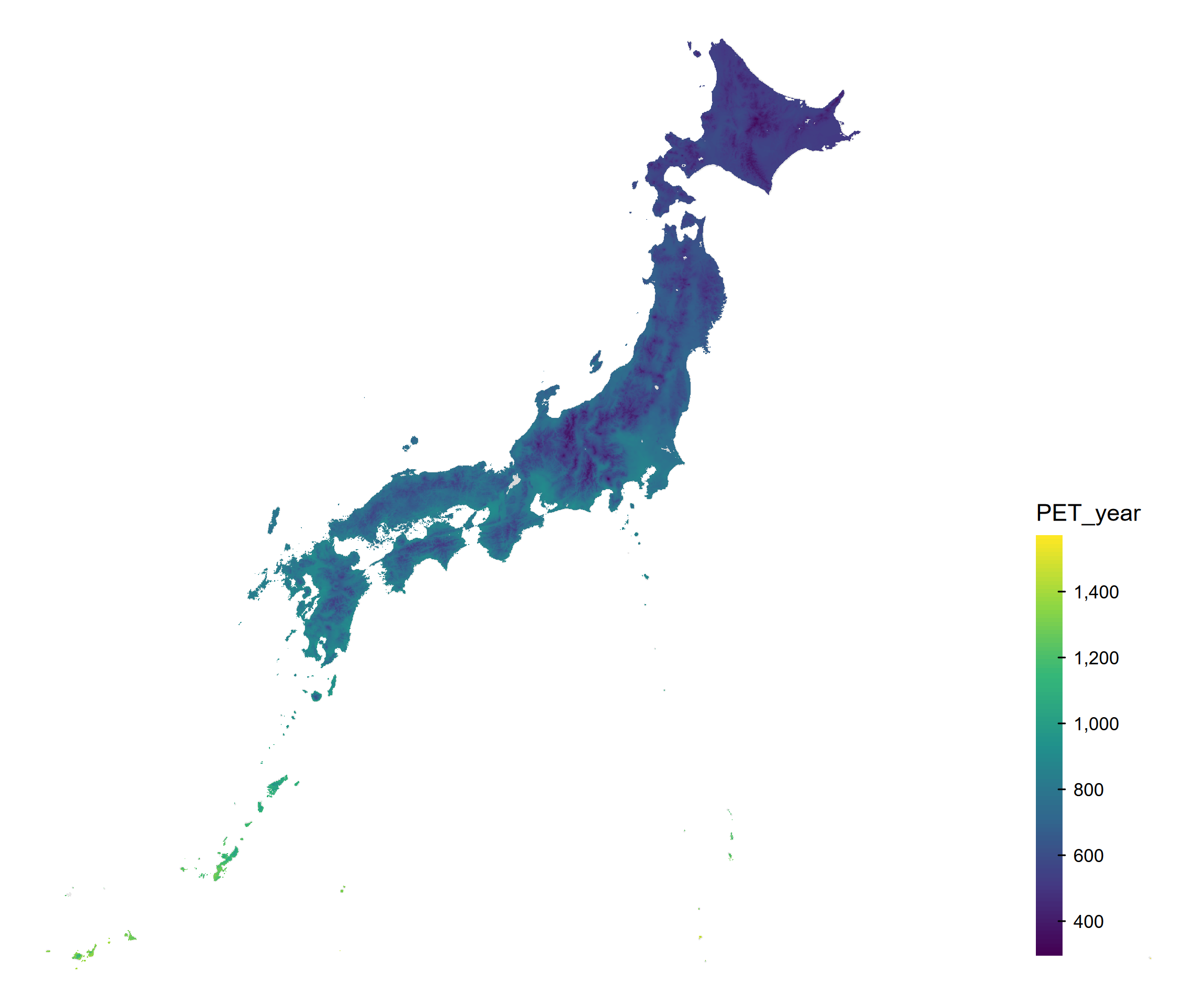
Plot PET
# renv::install("ropensci/rnaturalearthhires")
variable <- "PET_year"
japan <- ne_states(country = "Japan", returnclass = "sf")
sf_plot <- sf_climate[!is.na(sf_climate[[variable]]), ]
tm <- tm_shape(japan, crs = 4612) +
  tm_polygons(col = "gray90") +
  tm_shape(sf_plot[, variable], crs = 4612) +
  tm_fill(
    fill = variable,
    fill.scale = tm_scale_continuous(values = "viridis"),
    fill.legend = tm_legend(
      title = variable,
      reverse = TRUE,
      position = c("right", "bottom"),
      frame = FALSE,
      bg.color = "transparent"
    )
  ) +
  tm_layout(frame = FALSE, bg.color = "transparent")
print(tm)

output_dir <- "output"
dir.create(output_dir, showWarnings = FALSE, recursive = TRUE)
tmap_save(
  tm,
  filename = file.path(
    output_dir,
    paste0("japan_climate_map_", variable, ".png")
  ),
  dpi = 300
)
Plot Aridity Index
variable <- "aridity_index"
japan <- ne_states(country = "Japan", returnclass = "sf")
sf_plot <- sf_climate[!is.na(sf_climate[[variable]]), ]
tm <- tm_shape(japan, crs = 4612) +
  tm_polygons(col = "gray90") +
  tm_shape(sf_plot[, variable], crs = 4612) +
  tm_fill(
    fill = variable,
    # Low AI (drier) is yellow; high AI (wetter) is purple.
    fill.scale = tm_scale_continuous(values = hcl.colors(100, "Viridis", rev = TRUE)),
    fill.legend = tm_legend(
      title = "AI: low = dry, high = humid",
      reverse = TRUE,
      position = c("right", "bottom"),
      frame = FALSE,
      bg.color = "transparent"
    )
  ) +
  tm_layout(frame = FALSE, bg.color = "transparent")
print(tm)

tmap_save(
  tm,
  filename = file.path(
    output_dir,
    paste0("japan_climate_map_", variable, ".png")
  ),
  dpi = 300
)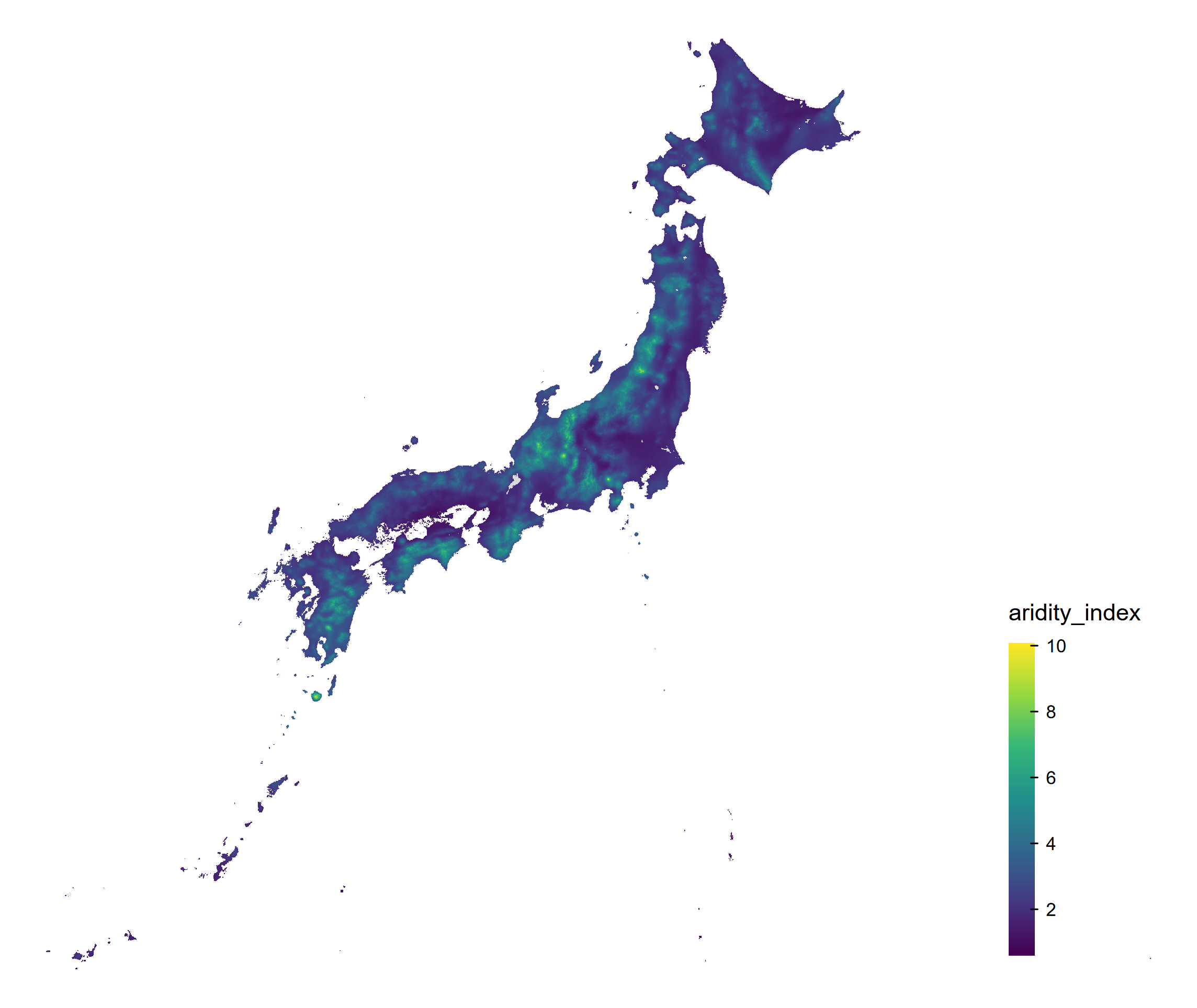
Yellow indicates lower AI (drier conditions); purple indicates higher AI (wetter conditions).
Plot monthly Aridity Index
The same map can be drawn for each monthly AI column. Run the loop to save one PNG per month.
japan <- ne_states(country = "Japan", returnclass = "sf")
month_labels <- month.abb
for (month in seq_along(month_labels)) {
  month_label <- month_labels[month]
  variable <- paste0("aridity_index_", month_label)
  sf_plot <- sf_climate[!is.na(sf_climate[[variable]]), ]
  tm <- tm_shape(japan, crs = 4612) +
    tm_polygons(col = "gray90") +
    tm_shape(sf_plot[, variable], crs = 4612) +
    tm_fill(
      fill = variable,
      fill.scale = tm_scale_continuous(
        values = hcl.colors(100, "Viridis", rev = TRUE)
      ),
      fill.legend = tm_legend(
        title = paste0(variable, ": low = dry, high = humid"),
        reverse = TRUE,
        position = c("right", "bottom"),
        frame = FALSE,
        bg.color = "transparent"
      )
    ) +
    tm_layout(
      frame = FALSE,
      bg.color = "transparent"
    )
  print(tm)

  tmap_save(
    tm,
    filename = file.path(
      output_dir,
      paste0("japan_climate_map_", variable, ".png")
    ),
    dpi = 300
  )
}